Do you know any cool apps?

I’d like to pick up my Apps page, which I sort of abandoned a while back.

If you have any great app to recommend, I’d love to hear about it so please add them in the comment section to this post. I am looking for Apps for Android and iPhone/iPad in the following categories – ideally free or very low-cost, possibly open-source:

Geology

Geophysics

Cartography and mapping

Planetary Science

Image Processing

Visualization

Edge detection as image fidelity test

This post is a quick follow-up to Dithering, a very interesting post by Cris Luengo, developer of DIPimage, a free Matlab image analysis toolbox.

Dithering is a graphic method that arranges black and white pixels in an image with certain patterns, to make it appear as though there are many intermediate gray levels. It is used when working with limited palettes. In his post Cris compares several algorithms that perform dithering.

As I commented in the post, after reading it I thought of a way to quantify the effectiveness of the various methods in replicating the original image: we can use Canny and Sobel filters to detect edges on the dithered results, and on the original. I show some of these in the image matrix below:

Looking at these results I argued that the structure-aware dithering did a much better job at preserving the edges in the original and the Canny and Sobel picked up on this (as do our eyes when we look at the results in the top row).

Our Earth truly is art

NASA has published a number of really good e-books on planetary science. Typically, each time I stumbled on one, I added a link on my Books page, but I could not skip writing about the latest one, which I discovered thanks to this post on FlowingData. It’s called Earth as Art, and it’s a fantastic book!

The pictures in this book are truly marvellous, and a thing of art. Here are my three favourites – I am so mesmerised by them I can’t stop looking (particularly the Ugab River one).

Enjoy. Check the book, and let me know which ones you like.

147VonKarman

Von Kármán Vortices, Southern Pacific Ocean

141UgabRiver

Ugab River, Namibia

117shoemaker

Shoemaker Crater, Australia

Two great visualization books

I would like to share two visualization books I recently started reading:

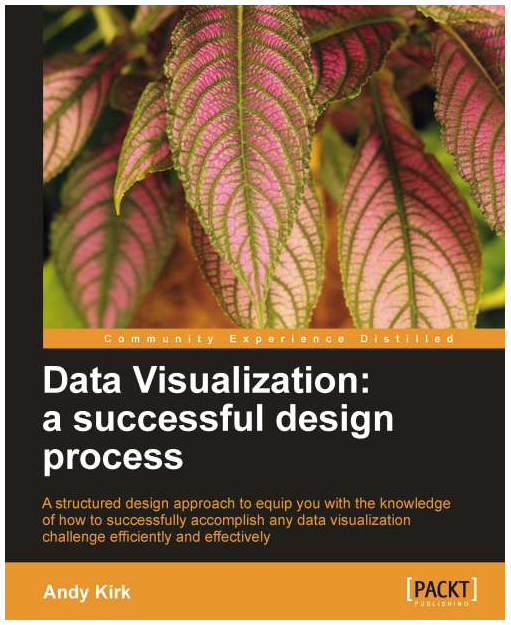
The first book, which focuses in particular on the design of a data visualization, is Data Visualization, a succesful design process by  Andy Kirk of visualisingdata. I just got the e-book this week and from the start it is very exciting. Also very promising (I’m at chapter 3), particularly if you’re interested in learning R, is Visualize This: The FlowingData Guide to Design, Visualization, and Statistics by Nathan Yau of FlowingData.

I am hoping to showcase some of the things I learn as I read. it is just a matter of finding the right project.

                                       Data visualization      visualize this

Visualization resources

MyCarta’s Time to spice up your visualization skills?

visualisingdata’s  essential collection of visualisation resources

FlowingData’s Data and visualization blogs worth following


Visualization tips for geoscientists – series outline

Visualization tips for geoscientists: Surfer

Visualization tips for geoscientists: Matlab

Visualization tips for geoscientists: Matlab, part II

Visualization tips for geoscientists: Matlab, part III

Google Earth and a 5 minutes book review: Geology Illustrated

A few years ago I bought on e-bay Geology Illustrated – by John S. Shelton, for just 10 US dollars. Every time I look at, and inside the book I can’t but think those were the best 10 dollars I ever invested in books.

There are already reviews and plenty of praise for this book out there – no need to repeat any of that if not briefly. My take is that the geology is clear and well explained. A bit simple, but simple is not always bad. And Shelton himself in the preface recommends this book as a “point of departure rather than something to lean on…” but that is perfect if you are a teacher looking for material, a first year college student, or a non-geologist looking for a high quality introduction.

But the photographs are priceless, and Shelton, who was also a pilot, took them all himself. Again, the author reminds us that nothing can replace field experience, and having  been trained as a field geologist (an average one, but that’s another story) I cannot but agree. However, lacking access or time to go to the field, or both, I find looking at a book like this can be an extraordinary substitute. That is especially true if you combine the reading with using Google Earth (particularly if you are a visual-spatial learner) and that is exactly what I did.

I already praised Google Earth for visualisation in this post. This program is a fantastic tool for learning geology, and today, to reinforce the point, I want to show you a couple of examples of Google Earth views replicating almost exactly figures from Chapter 14 of Geology Illustrated: The works of streams and rivers.

The first view is a replica of Figure 130 in the book, showing a fantastic example of a stream (the Colorado River) deepening its valley at the Marble Canyon.

The second view is a replica of Figure 135, showing many excellent examples of stream capture by headward erosion. Notice that in the 60s, when the photo was taken by Shelton, the highway (US Highway 101 north of San Juan Capistrano, California) was the only visible evidence of human activity.

The last view is a replica of Figure 137 in the book, showing the meander belt of the Animas River a few miles from Durango, Colorado. Looking at this was by far my favourite as it gave me the opportunity to create my own time lapse: a repeat snapshots of the same landscape nearly 50 years apart. Tis is priceless: 50 years are nothing in geological time scale, and yet there are already some significant differences in the two images. For example, it looks like the meander cutoff  in the lower left portion of the image had ‘just’ happened in the 60s, whereas at the time the imagery used by Google Earth was acquired (I imagine in the last few years), the remnant oxbow lake is more clearly defined. Another oxbow lake in the center has nearly disappeared.

I found that this process of looking for and replicating the photos in the book, zooming in and out, then in again changing view was a fantastic way to see the geological features as part of the larger geological context, visualize them, see the interconnection with other elements of the landscape, observe how erosion and deposition, and human processes have modeled the landscape in just a few decades (as in the second and third examples).  As a geophysicist, sitting in the office away from the outcrops, this is  invaluable, and a great aid in finding analogs in support of seismic interpretations. And really you don’t need a book in your lap to start the process.

In a future post I will show my results at creating similar views using HD lidar data, which can be downloaded from the National Center for Airborne Laser Mapping, as done in this blog post on Quest.

Resources

John Shelton’s obituary, August 2008

Geomorphology from space

Why I replaced my Creative Commons license with Konomark

Why I share

I think openness in geoscience is very important, and I feel we all have a duty to be open with our work, data, ideas when possible and practical. I certainly do believe in sharing a good deal of the work I do in my spare time. So much so that when I started this blog there was no doubt in my mind I would include an agreement for people to use and modify freely what I published. Indeed, I venture to say I conceived the blog primarily as a vehicle for sharing.

Some of the reasons for sharing are also selfish (in its best sense): doing so gives me a sense of fulfillment, and pleasure, as Matt Hall writes in Five things I wish I’d known (one of the essays in 52 You Should Know About Geophysics), you can find incredible opportunities for growth in writing, talking, and teaching.  There is also the professional advantage of maintaining visibility in the marketplace, or as Sven Treitel puts it, Publish or perish, industrial style (again in 52 You Should Know About Geophysics).

How I used to share

At the beginning I choose an Attribution-NonCommercial-ShareAlike license (CC BY-NC-SA) but soon removed the non-commercial limitation in favour of  an Attribution-ShareAlike license (CC BY-SA).

A (very) cold shower

Unfortunately, one day last year I ‘woke up’ to an umpleasant surprise: in two days an online magazine had reposted all my content – literally, A to Z! I found this out easily because I received pingback approval requests for each of them (thank you WP!). Quite shocked, I confess, the first thing I did was to check the site: indeed all my posts were there. The published included an attribution with my name at the top of each post but I was not convinced this would be fair use. Quite the contrary, to me this was a clear example of content scraping, and the reason why I say that is because they republished even my Welcome post and my On a short blogging sabbatical post – in the science category! – please see the two screen captures below (I removed their information) of the pingbacks:

About_post_edit

sabbatical_post_edit

If this was a legitimate endeavour, I reasoned, a magazine with thoughtful editing,  I was sure those two posts would have not been republished. Also, I saw that posts from many other blogs were republished en masse daily.

Limitations of Creative Commons licenses

I asked for advice/help from my twitter followers, and on WordPress Forums, while at the same time started doing some research.  That is when I learned this is very common, however being in good company (google returned about 9,310,000 results when searching ‘blog scraping’) did not feel like much consolation: I read that sites may get away with scraping content, or at least try. I will quote directly from the Plagiarism Today article Creative Commons: License to Splog?: “They can scrape an entire feed, offer token attribution to each full post lifted (often linking just to the original post) and rest comfortably knowing that they are within the bounds of the law. After all, they had permission …Though clearly there is a difference between taking and reposting a single work and reposting an entire site, the license offers a blanket protection that covers both behaviors”.

Fight or flight?

Yes, Creative Commons have mechanisms that allow fighting of this abuse, but their effectiveness is yet to be proved (read for example this other article by Plagiarism Today, Using Creative Commons to Stop Scraping). Notice these articles are a bit out of date but as far as I could see things have not improved much. The way is still the hard way of tracking down the culprit and fighting through  legal action, although social media support helps.

It is possible to switch to a more restrictive Creative Commons license like the Attribution-NonCommercial-NoDerivs (perhaps modified as a CC+), but that only allows to cut your losses, not to fight the abuse,  as it is only on a going-forward basis (I read this in an article, and jotted down a note, but  I unfortunately cannot track down the source – you may be luckier, or cleverer).

Then I was contacted by the site administrator through my blog contact form (again I removed their information), who had read my question on the WordPress forum:

Your Name: ______
Your Email Address: ______
Your Website: ______
Message: Hello.
Your site is under a CC license. What’s the trouble in republishing your content?
Regards.
Subject: Your license

Time: Thursday July 26, 2012 at 12:26 am
IP Address: ________
Contact Form URL: http://mycartablog.com/contact/
Sent by an unverified visitor to your site.

I responded with a polite letter, as suggested by @punkish on twitter. I explained why I thought they were exceeding what was warranted under the Creative Commons license, that republishing the About page and Sabbatical posts  was to me proof of scraping, and I threatened to pursue legal recourse, starting with DMCA Notice of Copyright Infringement. Following my email  they removed all my posts from their site, and notified me.

Two alternatives

I think I was fortunate in this case, and decided to take matters into my own hands to prevent it from happening again. Following my research I saw two good, viable ways to better protect my blog from scraping whole content, while continuing to share my work. The first one involved switching to WordPress.org. This would allow more customization of the blog, and use of such tools as the WP RSS footer plugin, which allows to Get credit for scraped posts, and WP DMCA website protection. Another benefit of switching to WordPress.org is that – if you are of belligerent inclination – you can try to actively fight content scraping with cloacking. Currently, although it is one of my goals for the future of this blog, I am not prepared to switch WordPress.com due to time constraints.

Having decided to stick to WordPress.com  the alternative I camu up with was to remove the CC license, replacing it with a Copyright notice with what I would call a liberal attitude.  A simple way to do that was to add the Konomark logo accompanied by a statement that encourages sharing, but without surrendering any rights upfront. Addtionally you can prevent content theft from your WordPress.com (or at least reduce the risk) by configuring the RRS feed so that it displays post summaries only, not full posts.

How I share now

I customized my statement to reduce as much as possible the need for readers to ask for permission by allowing WorPress reblogging and by allowing completely open use of my published code and media.  Below is a screen capture of my statement, which it is located in the blog footer:

I hope this will be helpful for those that may have the same problem. Let me know what you think.

Konomark_footer

Additional reading

Whine Journalism and how to bring the splashback – a great story and a great step-by-step guide, to fight content theft

Content Scrapers – How to Find Out Who is Stealing Your Content & What to Do About It

Copysquare and Konomark

Useful tools to detect stolen content

Copyscape – Search for copies of your page on the web

Google Alerts – (for example read this article)

Google Report scraper pages

TinEye – reverse image search engine. ‘It finds out where an image came from, how it is being used, if modified versions of the image exist…’

MyCarta – 2012 in review

The WordPress.com stats helper monkeys prepared a 2012 annual report for this blog.

Here’s an excerpt:

4,329 films were submitted to the 2012 Cannes Film Festival. This blog had 19,000 views in 2012. If each view were a film, this blog would power 4 Film Festivals

Click here to see the complete report.